Team chat and video calls
The chat is part of Kontext, not of yet another service: the same sign-in, the same people, the same mailboxes. Instead of forwarding a customer's mail internally, you discuss it in the info@ channel – whoever may open the mailbox opens the mail, nothing is copied.
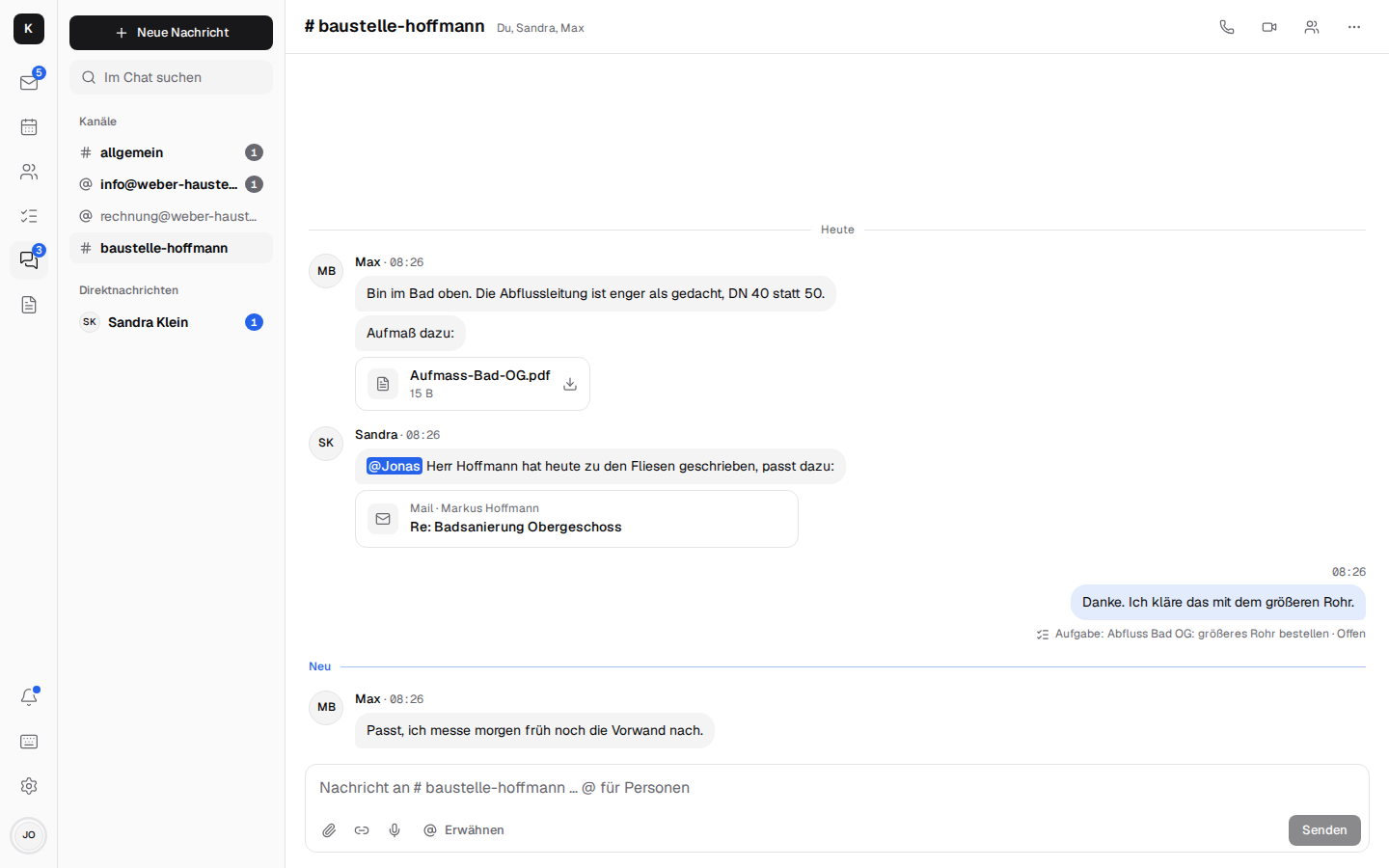
Channels and messages
- #allgemein (general) for everyone, one channel per shared mailbox (info@, rechnung@) for everyone who works in it, and channels of your own like #baustelle-hoffmann with chosen members.
- Direct messages to one or more people, with “Seen”.
- Speech bubbles like in a messenger, on the PC and on the phone: your own on the right in light blue, the others' on the left in grey with their name (on the PC with a photo too).
- Live: messages, “Sandra is typing …” and who is online, without reloading; unread messages on the chat and on the app icon.
- @mentions with suggestions; a mention or a direct message reaches the phone, even when the app is closed.
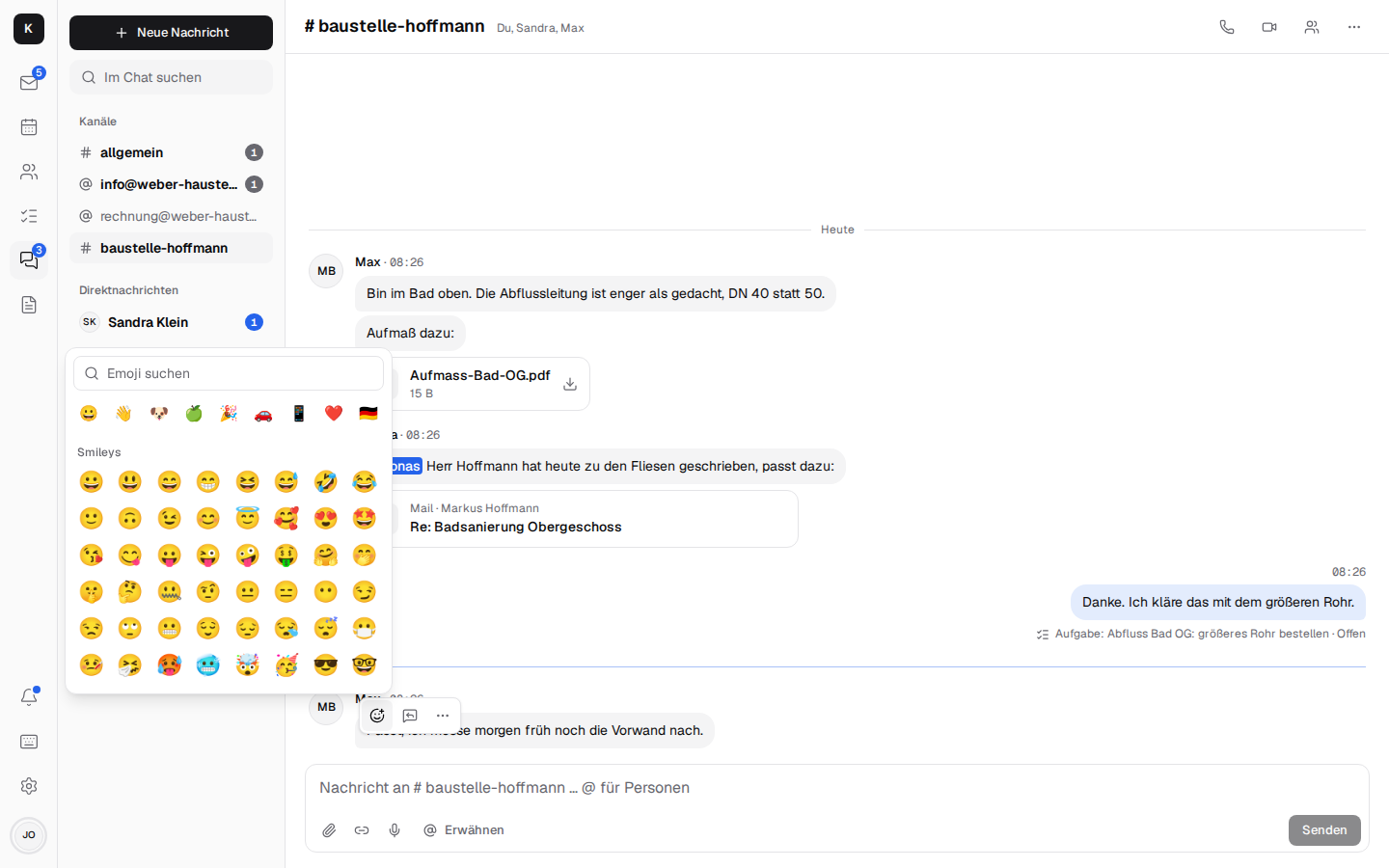
- Threads and reactions: reply in a thread without filling up the channel; 👍 ✅ 🎉 instead of “ok”. On the PC through the small bar that appears above the message when you hover over it; on the phone you press and hold the message, and the reactions and Reply, Copy text, Task, Edit and Delete come up from below.
- Any emoji: “+” next to the seven quick reactions shows all of them, by category, with search in German or English (“daumen”, “werkzeug”, “thumbs”).
 - Also send to channel: a checkbox below the reply field in the thread also puts the reply into
the channel, with “Replied to a thread: …” above it; a click on that opens the thread. Good for
the outcome of a longer discussion.
- Photos and files from the camera, by dragging or pasting; photos are scaled down first.
- Voice messages like on WhatsApp: the microphone (on the phone in place of “Send” as long as
nothing has been typed) records until you press “Send” or discard it; after a quarter of an hour
the recording goes off on its own. While recording, a waveform grows with what you say; after
“Send”, the bar stays until the message, waveform and all, is in the conversation. There it plays
right away, with a waveform to jump around in that fills evenly as it plays, the duration and a
speed of 1×, 1.5× or 2×; only one plays at a time. The list and notifications say “Voice
message”.
- Search across all channels; edit and delete your own messages; mute, leave, delete.
- Retention is set by the company admin (30 days to 5 years, or unlimited).
Mails, tasks, contacts and documents as cards
- “Discuss” on a mail (
b) sends it as a card to a channel; the mail then shows where it was discussed. Only someone who may see the mailbox anyway can open the card. - Share a mail as a copy with its attachments – for colleagues who can't open the mailbox.
- A task from a message, linked both ways.
- Share documents from Documents; the members may open them.
Video calls and meetings
Calls run over LiveKit on your own server (optional) – no Zoom, no Teams, no data with third parties.
- Call and Video call from any direct message, ringing even when the app is closed; Start meeting in a channel, others join.
- Microphone, camera, screen sharing; the call stays open while you switch to mail or the calendar.
- Large pictures: with two people, the other person fills the screen and your own picture sits small in the corner; in a group everyone shares the space, and a shared screen comes to the front.
- In the history: “Call · 5 min”, missed calls with “Call back”.
- A video meeting on an appointment with a link for guests without an account; they get in as soon as someone from the company is there.
- In confidential conversations, calls are end-to-end encrypted.
The company phone (Fritzbox) is part of it too: see Telephony.
Confidential conversations
Direct messages and channels can be started or continued as confidential: end-to-end encrypted with the personal keys, photos and files included – the server sees only encrypted data. How, and with which limits: Encryption → Building block 5.
Setting up calls: Installation → Calls. Technical details: Architecture → Team chat and Calls.